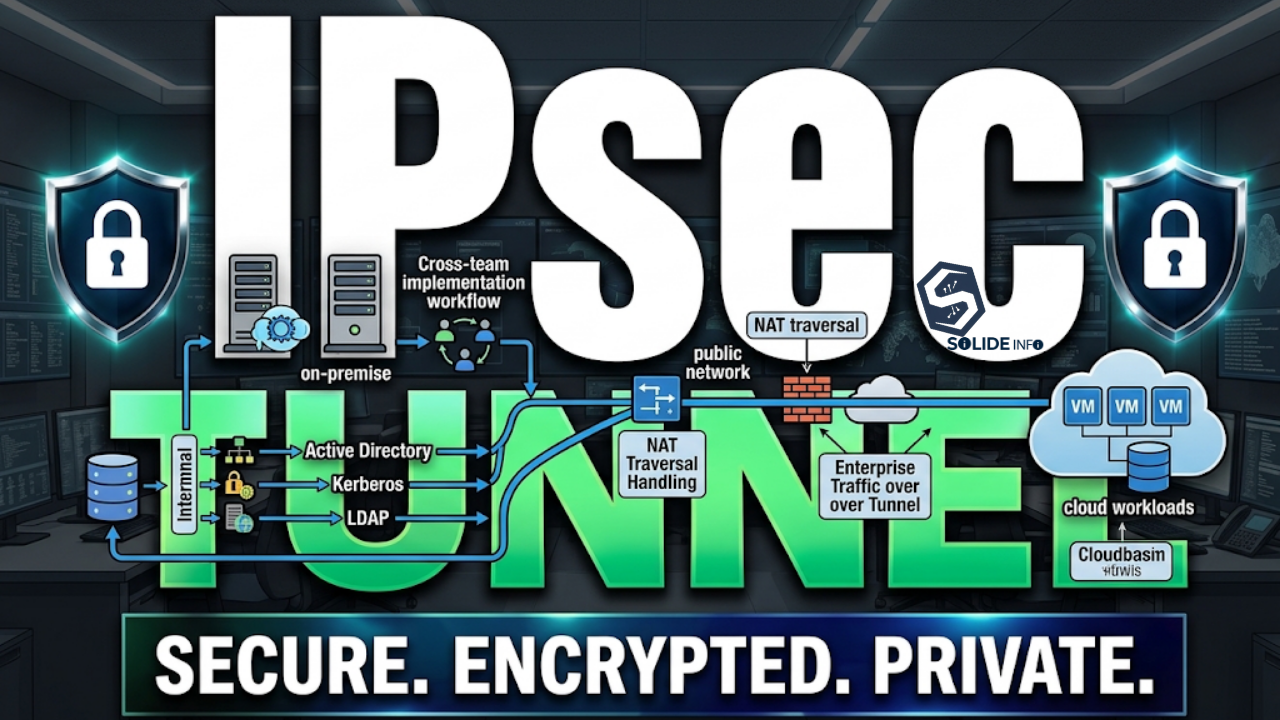
In modern enterprise environments, organizations must manage increasingly complex IT ecosystems that combine cloud services, on-premise infrastructure, and demanding security requirements. An IPsec tunnel remains the backbone technology for securely connecting distributed sites, cloud workloads, and remote infrastructure over untrusted public networks.
This article breaks down how real-world IPsec tunnel deployments function beyond the textbook explanation — covering NAT traversal, cross-team implementation workflows, and the operational realities of running Active Directory, Kerberos, and LDAP traffic across a site-to-site tunnel.
Executive Summary
- An IPsec tunnel creates a logical point-to-point encrypted path between two firewalls, regardless of how many intermediate routers or ISPs sit between them.
- Double NAT — common when an edge firewall sits behind an ISP-owned router — is the single most common cause of failed IPsec tunnel negotiations in production.
- Cross-team coordination (network, security, sysadmin, and third-party teams) is required to move an IPsec tunnel from design to a stable production state.
- Identity services like LDAP and Kerberos depend on more than routing — DNS resolution and time synchronization across the tunnel are equally critical.
Understanding IPsec Tunnel Architecture: Overlay vs Underlay
An IPsec tunnel is best understood as an overlay protocol. It abstracts away the underlying physical WAN — the ISP routers, MPLS paths, or SD-WAN fabric — and presents a clean, encrypted logical connection to the two endpoints.
Overlay and Underlay Networks
The underlay network is everything the public internet sees: ISP routers, fiber gateways, and MPLS backbones that only forward IP Protocol 50 (ESP) or UDP 500/4500 packets.
The overlay network is the private payload riding inside that encrypted tunnel — Active Directory requests, internal application traffic, and private subnets that never appear in cleartext on the underlay.
This separation matters operationally. A network engineer troubleshooting a routing issue on the underlay does not need visibility into the encrypted overlay traffic, and vice versa — the two layers are diagnosed independently.
Architecture: Trust Zones on Both Sides of the Tunnel
The diagram below shows how each site’s internal trust zone stays isolated from the untrusted underlay, with the edge firewall acting as the only bridge point.

Point-to-Point Abstraction
Regardless of how many hops separate the two sites geographically, the two edge firewalls establish a direct logical peer relationship using their public WAN IP addresses. From the perspective of both firewalls, the internet in between effectively disappears once Phase 1 and Phase 2 negotiations succeed.
This abstraction is what allows an IPsec tunnel to function identically whether the two sites are on the same continent or separated by multiple carrier networks.
NAT Traversal Challenges
Production deployments rarely involve firewalls with a direct public IP. Most edge firewalls sit behind an ISP-owned modem or router operating in NAT mode, which breaks the assumptions IPsec was originally designed around.
Three configuration elements resolve this in practice:
- NAT-Traversal (NAT-T) — encapsulates ESP (IP Protocol 50) inside UDP 4500 so NAT devices don’t drop the packets.
- Port forwarding or bridge mode — the ISP router must forward UDP 500 and UDP 4500 to the downstream firewall, or be switched to bridge/transparent mode entirely.
- IKE identifier matching — when the firewall’s local IP differs from its public IP due to double NAT, the Phase 1 Local ID (FQDN or IP-based) must be explicitly set so both peers can authenticate correctly.
# Example (sanitized) Phase 1 identifier configuration — generic syntax
config vpn ipsec phase1-interface
    edit "site-to-site-tunnel"
        set interface "wan1"
        set peertype any
        set net-device disable
        set proposal aes256-sha256
        set dhgrp 14
        set nattraversal enable
        set localid "gw-siteA.example.net"
        set remote-gw <PEER_PUBLIC_IP>
    next
end
Deploying a Site-to-Site IPsec Tunnel Across Teams
Establishing a production IPsec tunnel between two distinct organizations or business units is rarely a single-engineer task. It typically involves coordination between network, security, systems, and — when a third party is involved — the client’s own infrastructure team.
Cross-Team Workflow
Both sides begin by exchanging a standardized VPN parameters sheet before any configuration happens. This typically includes:
- Public gateway IPs or FQDNs for both peers
- Local and remote encryption subnets (e.g.,
10.10.0.0/16on one side,192.168.20.0/24on the other) - Phase 1 proposal — IKEv2, AES-256, SHA-256, DH Group 14 or higher, and either a pre-shared key or PKI certificates
- Phase 2 proposal — ESP, AES-256, SHA-256, and Perfect Forward Secrecy (PFS)
If a double-NAT situation exists on either side, the team that owns the ISP-facing router is responsible for confirming UDP 500/4500 forwarding before Phase 1 negotiation is attempted.
Phase 1 and Phase 2 Negotiation Parameters
Phase 1 establishes the secure channel used to negotiate the tunnel itself (IKE SA), while Phase 2 negotiates the actual encryption parameters for the traffic that will flow through it (IPsec SA).
Mismatched proposals are the most common cause of a tunnel that shows “up” on one side and “down” on the other — both peers must agree on identical encryption, hashing, and DH group values in each phase.
# Example (sanitized) log output during Phase 1 negotiation
ike 0: comes 203.0.xx.xx:500->198.51.xx.xx:500,ifindex=6....
ike 0: IKEv2 exchange=SA_INIT id=xxxxx len=464
ike 0: peer proposal id 1: NAT-T
ike 0: negotiated proposal: AES256/SHA256/DH14
ike 0: SA life soft seconds=27000
ike 0: Established IKE SA
Full Deployment Lifecycle
The sequence below shows how these steps chain together end to end, from the initial parameter exchange through to steady-state monitoring.

Tunnel Interfaces and Routing
Once negotiation succeeds, engineers create a Virtual Tunnel Interface (VTI) or a policy-based VPN definition on both firewalls, then add static or dynamic routes pointing the remote subnets toward that interface.
Firewall policies are then written to permit only the specific protocols required — for example, TCP 443 for an internal web application, or TCP/UDP 88, 389, and 636 for Kerberos and LDAP traffic described in the next section.
Identity Services and Directory Traffic Over an IPsec Tunnel
Getting the tunnel “up” is only half the work. Directory services like Active Directory, Kerberos, and LDAP have additional dependencies that many teams overlook during initial IPsec tunnel design.
DNS and Conditional Forwarding
Devices on the remote side of the tunnel need to resolve internal domain names — such as a domain controller’s FQDN — through the tunnel rather than the public internet. This requires configuring conditional DNS forwarding on the remote side’s local DNS server, pointing specific internal domain zones toward the domain controller’s private IP on the other end of the tunnel.
Without this step, applications will often fail authentication with generic “server not found” errors that have nothing to do with the tunnel itself being down.
Kerberos and LDAP Traversal
Kerberos authentication is time-sensitive by design — clock drift between the client and the Key Distribution Center beyond a few minutes will cause authentication failures, independent of tunnel health. NTP synchronization across both sites is a prerequisite, not an optional step.
Once routing, firewall policy, and DNS are correctly aligned, the required ports for identity traffic across the tunnel are:
- 88 — Kerberos ticket exchange
- 389 / 636 — LDAP and LDAPS directory queries
- 135 / 445 — RPC and SMB, often needed for supporting directory operations
# Example (sanitized) LDAPS connectivity test across the tunnel
$ openssl s_client -connect 10.10.1.50:636 -showcerts
CONNECTED(00000003)
depth=0 CN = dc01.internal.example
verify return:1
---
SSL handshake has read 2841 bytes
Verify return code: 0 (ok)
Authentication Workflow Across the Tunnel
The diagram below traces a single LDAP authentication request from the remote application through the tunnel and back — this is the exact traffic pattern the ports and DNS rules above exist to support.

Operational Challenges and Best Practices for IPsec Tunnels
Running an IPsec tunnel in production long-term surfaces a different set of problems than standing one up for the first time.
Common Failure Points
- Asymmetric NAT changes — an ISP replacing or resetting a router can silently reset port-forwarding rules, breaking NAT-T without any configuration change on the firewall itself.
- SA lifetime mismatches — if Phase 1 or Phase 2 security association lifetimes differ between peers, the tunnel can renegotiate unpredictably and cause brief outages.
- Overlapping subnets — mergers, acquisitions, or rushed deployments sometimes create overlapping private ranges on both sides, which silently breaks routing rather than the tunnel itself.
Monitoring and Troubleshooting
Production IPsec tunnels should be monitored at three layers: underlay reachability (can the public IPs reach each other at all), Phase 1/2 SA status, and application-layer reachability (can Kerberos, LDAP, or the target application actually complete a transaction).
Separating these layers during troubleshooting prevents engineers from chasing a “tunnel is down” ticket that is actually a DNS or application firewall policy issue.
IPsec Tunnel vs Alternative VPN Technologies
Choosing between IPsec, IKEv2, L2TP/IPsec, and SSL-based VPNs like OpenVPN depends heavily on the use case — site-to-site infrastructure connectivity has different requirements than individual remote-access users.
IPsec vs SSL VPN / OpenVPN
IPsec operates at the network layer and is generally preferred for site-to-site tunnels because it can transparently encrypt all IP traffic between two subnets without per-application configuration. SSL VPN solutions like OpenVPN are more common for individual remote-access scenarios, since they traverse restrictive firewalls more easily (often over TCP 443) and don’t require dedicated hardware-level tunnel interfaces.
When to Choose IKEv2 or L2TP/IPsec
IKEv2 is generally the preferred key exchange protocol for new deployments due to faster reconnection after network interruptions — useful for mobile or unstable WAN links. L2TP/IPsec is largely a legacy combination at this point, still seen in older client compatibility requirements, but it lacks the native NAT-T resilience and reconnection speed of a modern IKEv2-based IPsec tunnel.
Advanced FAQ
How does an IPsec tunnel impact enterprise IT strategy?
It determines how tightly distributed sites and cloud workloads can be integrated without exposing internal services directly to the internet, which directly affects both security posture and application architecture decisions.
What is the main implementation challenge with IPsec tunnels in production?
Double NAT and inconsistent Phase 1/2 proposal parameters between vendors are the most frequent causes of failed or unstable tunnels.
What should IT leaders consider before adopting IPsec tunnels for site-to-site connectivity?
Whether the organization has the operational maturity for cross-team coordination — network, security, and directory service teams all need to be aligned before, not after, the tunnel goes live.
Does an IPsec tunnel replace the need for DNS and time synchronization planning?
No. A healthy IPsec tunnel is necessary but not sufficient for directory services — DNS conditional forwarding and NTP alignment are separate, equally critical dependencies.
Discover more from Solide Info | The Engineer’s Authority on Cyber Defense
Subscribe to get the latest posts sent to your email.