In a post-compromise scenario, the first 60 minutes of log preservation are critical for determining if an adversary has transitioned from a standard workstation to a high-privilege service account.
For decades, the Achilles’ heel of Microsoft Active Directory environments has been the “Service Account”—users with static, non-expiring passwords that are frequently targeted via Kerberoasting or local credential dumping.
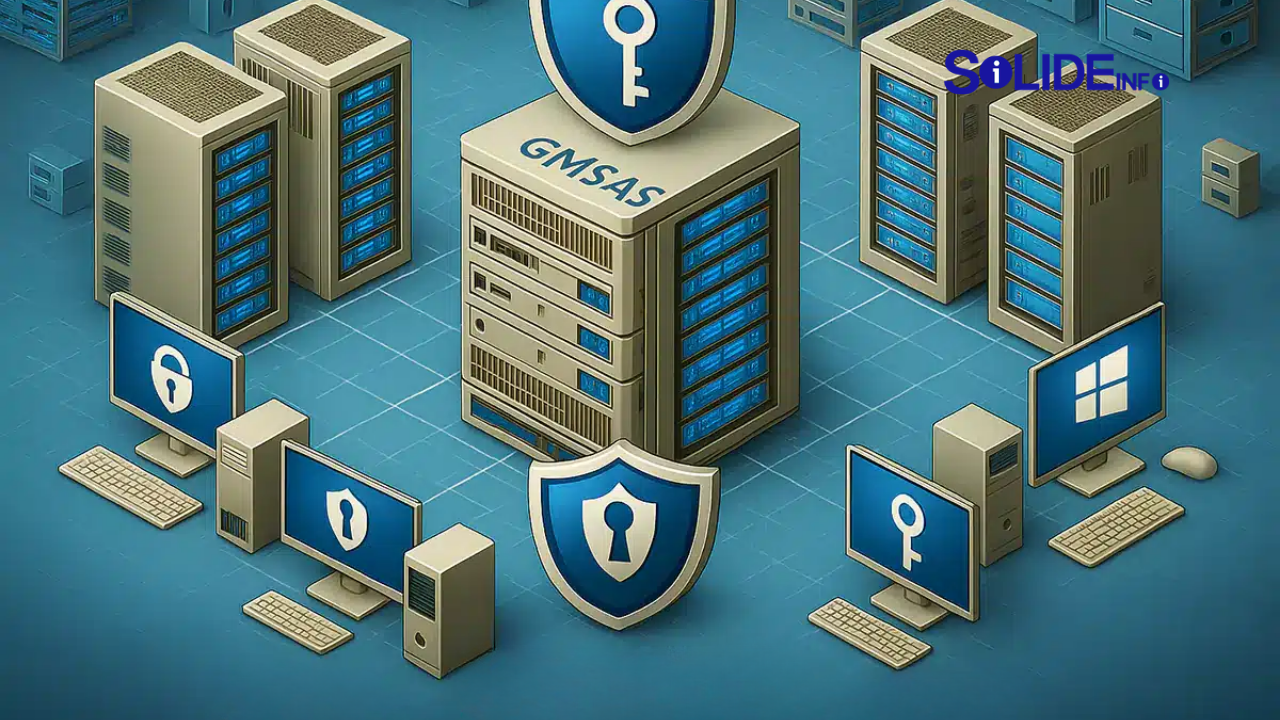
The implementation of the Group Managed Service Account (gMSA) represents a fundamental shift in how we handle service identities. It moves from manual, error-prone password management to a secure, autonomous lifecycle managed by the domain.
By leveraging a Group Managed Service Account, security architects can virtually eliminate the risk of brute-force attacks against service identities. This is achieved through 240-character complex passwords that rotate automatically without human intervention or downtime.
This article provides a deep-dive into operationalizing gMSAs within Active Directory, focusing on the forensic signatures and the strategic automation required to maintain a resilient, modern identity perimeter in enterprise environments.
Implementing a Group Managed Service Account (gMSA) is the most effective way to neutralize Kerberoasting and password-spraying attacks directed at service identities within a Microsoft Active Directory ecosystem.
- Autonomous Lifecycle: gMSAs automate password management via the Key Distribution Service (KDS), rotating complex 240-character secrets every 30 days by default.
- Reduced Attack Surface: Since the password is not known to administrators, credential harvesting via LSASS or SAM is significantly mitigated for these specific accounts.
- Scoped Access: Access to the gMSA password is restricted via the
msDS-GroupMSAMembershipattribute, ensuring only authorized host machines can retrieve the identity secret. - Forensic Traceability: gMSA logons produce distinct Event IDs (4624/4648), allowing SOC analysts to differentiate between legitimate service behavior and potential lateral movement attempts.
The Technical Anatomy of a Group Managed Service Account
The architecture of a Group Managed Service Account relies on the Key Distribution Service (KDS) introduced in Windows Server 2012. The KDS runs on Domain Controllers and generates the passwords.
When a member host (a server authorized to use the gMSA) needs to start a service or task, it queries the Microsoft Active Directory KDC. The host uses its own machine identity.
The host then communicates with the KDS to retrieve the current password for the Group Managed Service Account. The KDS verifies that the requesting host is a member of the authorized group.
The beauty of the group managed service account is the lack of manual synchronization. If you have a cluster of five servers, all five can retrieve the same password simultaneously.

Step-by-Step Implementation and Setup Guidance
Setting up a Group Managed Service Account in Active Directory requires a specific sequence to ensure the KDS Root Key is active and replicated across all domain controllers.
First, you must create the KDS Root Key. This key is used by the KDS service to generate gMSA passwords. Note that it takes 10 hours to replicate by default.
PowerShell
# Create the KDS Root Key (Use -EffectiveImmediately for Lab/Emergency only)
Add-KdsRootKey -EffectiveImmediately
Once the key is replicated, we create a security group that will contain the computer accounts allowed to use the group managed service account. This is a critical security boundary.
PowerShell
# Create the gMSA using the Active Directory PowerShell module
New-ADServiceAccount -Name "svc-finance-prod" `
    -DNSHostName "svc-finance-prod.solideinfo.com" `
    -PrincipalsAllowedToRetrieveManagedPassword "GMSA_Authorized_Hosts" `
    -KerberosEncryptionType AES128, AES256
Finally, on the target host, you install the Microsoft Active Directory PowerShell module and “install” the service account. This allows the local system to cache the password retrieval logic.
PowerShell
# Run on the authorized host
Install-ADServiceAccount -Identity "svc-finance-prod"
Test-ADServiceAccount -Identity "svc-finance-prod" # Should return True
Forensic Artifact Analysis: Which Data Matters and Why?
For a DFIR specialist, investigating a group managed service account involves looking for anomalies in how the “Managed Password” is retrieved and where it is being used.
Because gMSAs are tied to specific hosts, any Event ID 4624 (Logon) from a source IP not in the PrincipalsAllowedToRetrieveManagedPassword list is a high-fidelity indicator of a compromise.
Key Logs to Monitor:
- Event ID 4624 (Security): Look for Logon Type 5 (Service) or Type 4 (Batch). Ensure the
TargetUserNamematches your gMSA naming convention (usually ends with$). - Event ID 4648 (Security): Triggered when a process attempts to log on with explicit credentials. This should rarely happen with a group managed service account.
- Event ID 4907 (Security): Audits changes to the object’s SACL. If an attacker modifies the gMSA object in Microsoft Active Directory, this is where you’ll find it.
- Directory Service Changes (Event ID 5136): Specifically watch for modifications to the
msDS-GroupMSAMembershipattribute, which dictates who can read the password.
Advanced Threat Hunting with KQL and Sigma
To establish authority in your SOC, you need queries that cut through the noise. Here is a KQL snippet to detect a group managed service account being used on an unauthorized host.
Code snippet
// Identify gMSA usage on unauthorized hosts
let GmsaAccounts = IdentityInfo
| where AccountName endswith "$"
| project AccountName, OnPremSid;
DeviceLogonEvents
| where AccountName in (GmsaAccounts)
| join kind=inner (
    // Subquery to find authorized hosts from AD logs or static lists
    ConfigurationData | where SettingName == "AuthorizedGmsaHosts"
) on $left.DeviceName == $right.Value
| where isempty(Value) // Returns logons where host was NOT in authorized list
Adversaries may attempt to use GMSAPasswordReader tools to dump the secret if they gain local admin on an authorized host. You can detect this via a Sigma rule focusing on the KdsSvc access.
YAML
title: Access to KDS Root Key for gMSA Secret Retrieval
status: experimental
description: Detects unusual processes querying the KDS service to retrieve gMSA passwords.
logsource:
    product: windows
    service: security
detection:
    selection:
        EventID: 4662
        ObjectType: 'msDS-GroupManagedServiceAccount'
        AccessMask: '0x10' # Read Property
    filter:
        SubjectUserName|contains: '$' # Ignore machine accounts
    condition: selection and not filter
falsepositives:
    - Legitimate service startups
level: high
Step-by-Step Incident Response Workflow
When a group managed service account is suspected of being part of a lateral movement chain, the responder must act quickly to isolate the identity without breaking production.
- Identity Isolation: Instead of deleting the gMSA, modify the
msDS-GroupMSAMembershipto remove the suspected compromised host. This immediately prevents that host from refreshing the password. - Credential Purge: Use
klist -li 0x3e7 purgeon the compromised host to clear any cached Kerberos tickets associated with the Microsoft Active Directory service account. - Force Rotation: If you believe the 240-character secret was somehow exhumed, you can force a rotation by resetting the
msDS-ManagedPasswordIdon the Domain Controller. - CTI Ingestion: Extract the Source IP and any associated process hashes (e.g., from Sysmon Event ID 1) and ingest them into your Threat Intel Platform (TIP) like MISP.

Tooling Landscape: Deep Comparison
Choosing the right tool for managing Microsoft Active Directory identities depends on the scale of your environment.
| Feature | Manual Service Accounts | Managed Service Accounts (MSA) | Group Managed Service Accounts (gMSA) |
| Password Complexity | Low (Human defined) | High (Computer defined) | High (240-char KDS defined) |
| Rotation | Manual / Scripted | Automatic | Automatic (Multi-host support) |
| Kerberoasting Risk | High | Low | Negligible |
| Scalability | High | Low (Single host only) | High (Cluster-aware) |
For enterprise-grade security, gMSA is the only viable choice for services like SQL Clusters, IIS Farms, and Task Schedulers. Open-source tools like ADExplorer from Sysinternals can help visualize these objects, but native PowerShell remains the “best” according to most DFIR experts.
Automating Identity Security with AI/LLMs
In 2026, managing Microsoft Active Directory at scale requires more than just scripts; it requires agentic AI workflows. You can use LLMs to audit gMSA permissions.
By feeding your Get-ADServiceAccount exports into a security-tuned LLM, you can identify “Principle of Least Privilege” violations. For example, the AI can flag gMSAs authorized on too many hosts.
Python
# Simple Python snippet to prepare gMSA data for AI analysis
import subprocess
import json

def get_gmsa_data():
    cmd = "Get-ADServiceAccount -Filter * -Properties PrincipalsAllowedToRetrieveManagedPassword | ConvertTo-Json"
    result = subprocess.check_output(["powershell", "-Command", cmd])
    return json.loads(result)

# Process this JSON to identify accounts with > 10 authorized hosts
data = get_gmsa_data()
for account in data:
    if len(account['PrincipalsAllowedToRetrieveManagedPassword']) > 10:
        print(f"Alert: High-risk gMSA {account['Name']} - Excessive Host Access")
FAQs: Answering Long-Tail Technical Queries
Q: Can I use a Group Managed Service Account on a standalone server?
A: Yes, but the server must be domain-joined. The Microsoft Active Directory KDS service is what manages the password, so connectivity is required for the initial retrieval.
Q: What happens if the Domain Controller is offline during a password rotation?
A: The host will continue to use the cached password until it can reach a KDC. This ensures that a temporary network partition doesn’t crash your production services.
Q: Is gMSA supported on Linux?
A: Yes. Modern versions of SSSD and Samba support joining a group managed service account for keytab management, allowing Linux servers to benefit from automatic rotation in a Microsoft Active Directory environment.
What Next
Implementing a Group Managed Service Account is not just a configuration change; it is a strategic hardening of your Microsoft Active Directory identity layer.
By transitioning away from static service account passwords, you effectively close the door on one of the most common lateral movement vectors used by ransomware operators today.
The combination of complex, autonomous secrets and scoped retrieval permissions makes the group managed service account a cornerstone of any zero-trust identity architecture within the Windows ecosystem.
For organizations aiming to achieve excellence in cybersecurity, the move to gMSA is an urgent priority. Start by auditing your current service accounts and identifying candidates for migration.
Discover more from Solide Info | The Engineer’s Authority on Cyber Defense
Subscribe to get the latest posts sent to your email.