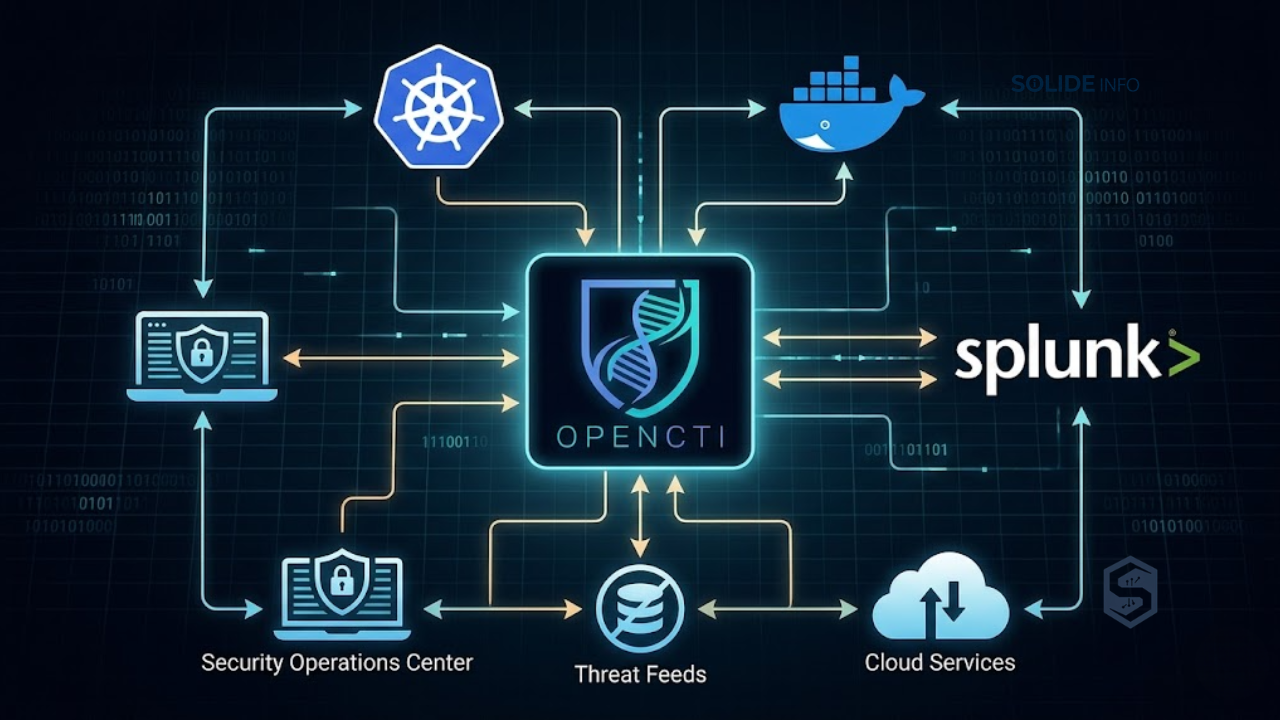
Modern security operations rely on the opencti platform to centralize, structure, distribute, and operationalize structured threat intelligence across highly complex enterprise ecosystems.
As cyber threats evolve in sophistication, organizations face an overwhelming volume of disjointed indicator feeds, security alerts, and threat reports.
Without a centralized system to normalize, correlate, and analyze this data, security teams remain reactive, struggling to identify campaigns across their infrastructure.
Traditional Threat Intelligence Platforms (TIPs) often rely on rigid, relational database schemas that fail to capture the complex, interconnected nature of modern cyber threats.
A threat is rarely an isolated indicator. It is an intricate web of actors, campaigns, infrastructure, malware families, and specific tactics, techniques, and procedures (TTPs).
To map these relationships effectively, security architects require a system designed around a native graph representation. This representation must align seamlessly with open standards like STIX 2.1.
This comprehensive technical guide provides security architects, engineers, and CISOs with a blueprint for deploying and operating the OpenCTI platform.
We will explore its underlying architecture, design high-availability deployment models, develop custom Python automation integrations, and establish robust ingestion pipelines.
EXECUTIVE SUMMARY
Centralized Intelligence Engine
Unify heterogeneous structured and unstructured threat data into a single, cohesive STIX 2.1-compliant semantic graph database.
Enterprise Scale and Resiliency
Architect high-availability deployments leveraging clustered Elasticsearch or OpenSearch, RabbitMQ messaging systems, Redis caches, and distributed Python workers.
Programmable Automation
Leverage robust GraphQL APIs and the native Python library to automate feed ingestion, execute context enrichment, and orchestrate rapid response workflows.
Operational Synergies
Bridge the gap between strategic threat analysis and tactical operations by seamlessly connecting intelligence feeds to SIEM, SOAR, and EDR systems.
Architectural Foundations of the OpenCTI Platform
To deploy and maintain the platform at scale, it is critical to understand its unique internal architecture.
Unlike traditional platforms, this system does not store flat rows of indicator data.
Instead, it builds a highly interconnected semantic graph. This design maps every entity and relationship directly to the Structured Threat Information Expression (STIX) 2.1 specification.
                  +-----------------------------------+
                  |        External Data Feeds        |
                  |  (MISP, MITRE ATT&CK, TAXII, etc) |
                  +-----------------+-----------------+
                                    |
                                    v
                  +-----------------+-----------------+
                  |       Ingestion Connectors        |
                  +-----------------+-----------------+
                                    |
                                    v
                  +-----------------+-----------------+
                  |         RabbitMQ Broker           |
                  |     (Task & Ingestion Queues)     |
                  +--------+-----------------+--------+
                           |                 |
                           v                 v
                  +--------+--------+      +-+-----------------+
                  |  Async Workers  |      |   Async Workers   |
                  |    (Worker 1)   |      |    (Worker N)     |
                  +--------+--------+      +-+-----------------+
                           |                 |
                           +--------+--------+
                                    | Write Operations
                                    v
                  +-----------------+-----------------+
                  |       OpenCTI API Engine          |
                  |         (GraphQL Node.js)         |
                  +--------+--------+--------+--------+
                           |        |        |
         +-----------------+        |        +-----------------+
         | Read/Write               | Cache                    | Object Storage
         v                          v                          v
+--------+--------+        +--------+--------+        +--------+--------+
|  Elasticsearch  |        |   Redis In-     |        |   MinIO / S3    |
|   / OpenSearch  |        |  Memory Cache   |        |  (Raw Files)    |
+-----------------+        +-----------------+        +-----------------+
The STIX 2.1 Data Model Integration
The system uses STIX 2.1 as its native internal data representation model.
Every object created in the system represents either a STIX Domain Object (SDO) or a STIX Relationship Object (SRO).
SDOs define concrete entities within the threat landscape, including:
– Intrusion Sets (Threat Actors)
– Malware
– Tool definitions
– Attack Patterns (TTPs)
– Vulnerabilities
– Identities (Organizations, Individuals, Sectors)
– Observables (IP addresses, domain names, file hashes)
SROs link these domain objects together, establishing semantic relationships such as:
– Malware uses Attack Pattern
– Intrusion Set targets Identity
– Indicator indicates Malware
This strict adherence to the STIX standard ensures that data remains highly structured, self-documenting, and interoperable.
By avoiding proprietary database schemas for the primary data model, the platform prevents vendor lock-in.
It also enables native integration with global threat sharing communities and open-source intelligence feeds without complex translation layers.
Database Engine Evolution and Storage Layout
In its early design, the platform relied on TypeDB (formerly Grakn) to manage its graph properties.
However, scaling TypeDB in high-volume enterprise production environments presented performance bottlenecks.
To address this, modern versions of the platform employ a custom-engineered graph translation layer on top of Elasticsearch or OpenSearch.
In this architecture, Elasticsearch serves as the primary data store and indexing engine.
The graph topology is managed programmatically at the application layer using highly optimized index schemas and search queries.
Every SDO and SRO is indexed as an individual document within specific Elasticsearch indices.
The index structure is logically partitioned to optimize query performance and disk management:
| Index Family | Data Stored | Access Pattern |
|---|---|---|
opencti-entities-* | SDOs (Malware, Threat Actors, Indicators) | Heavy term searches, aggregations, keyword matching |
opencti-relationships-* | SROs (Source-to-target links, weight, confidence) | Direct ID lookups, graph traversals, degree calculations |
opencti-history-* | Platform audit logs, change tracking, telemetry | Append-only sequential writes, timeline rendering |
This index layout allows administrators to tune Elasticsearch sharding and replication policies based on data type.
For instance, indicators and relationship logs can be placed on hot, NVMe-backed storage nodes.
At the same time, historical audit trails can be programmatically migrated to cold, cost-effective storage tiers.
Messaging, Caching, and Worker Mechanics
The platform decouples ingestion and compute-heavy analytical tasks from the core GraphQL API server using a microservices pattern.
This decoupling relies on three core infrastructure components:
– Redis Cache: Functions as an in-memory data store for API session management, rate limiting, and real-time pub/sub notifications. It also caches high-frequency lookup tables, such as schema definitions and active marking definitions, to keep API response times low.
– RabbitMQ Message Broker: Acts as the communication backbone. When a connector ingests data or an analyst submits a report, the raw STIX bundles are pushed to RabbitMQ exchange points. These bundles are queued for processing, preventing API service degradation during ingestion spikes.
– Asynchronous Python Workers: These worker instances continuously pull STIX payloads from RabbitMQ queues. Workers are responsible for validation, de-confliction, identity resolution, and writing data to Elasticsearch via the core API. Because workers are stateless, you can scale them horizontally to handle sudden influxes of threat data.
Enterprise Deployment and Scaling Strategies
Deploying the opencti platform in production requires a highly resilient, containerized, or orchestrated infrastructure.
For critical cybersecurity environments, deploying a single instance with docker-compose on a standalone VM introduces single points of failure.
Instead, enterprise architectures demand clustered storage, distributed message brokers, and secure identity management.
Production Grade Docker Compose Architecture
The following configuration demonstrates a production-grade, multi-node configuration snippet.
It defines clustering parameters, JVM limits, system resource reservations, and explicit dependency ordering.
version: '3.8'

services:
  # --- SEARCH & STORAGE ENGINE ---
  elasticsearch:
    image: docker.elastic.co/elasticsearch/elasticsearch:8.11.3
    container_name: opencti-elasticsearch
    environment:
      - node.name=es-node-01
      - cluster.name=opencti-vector-cluster
      - discovery.type=single-node
      - bootstrap.memory_lock=true
      - "ES_JAVA_OPTS=-Xms8g -Xmx8g"
      - xpack.security.enabled=false
    ulimits:
      memlock:
        soft: -1
        hard: -1
      nofile:
        soft: 65536
        hard: 65536
    volumes:
      - es_data:/usr/share/elasticsearch/data
    ports:
      - "9200:9200"
    networks:
      - opencti-secure-net
    deploy:
      resources:
        limits:
          memory: 16g

  # --- IN-MEMORY CACHE ---
  redis:
    image: redis:7.2-alpine
    container_name: opencti-redis
    command: redis-server --appendonly yes --requirepass "V3ryS3cur3R3d1sP@ssw0rd!"
    volumes:
      - redis_data:/data
    networks:
      - opencti-secure-net
    deploy:
      resources:
        limits:
          memory: 2g

  # --- MESSAGE BROKER ---
  rabbitmq:
    image: rabbitmq:3.12-management-alpine
    container_name: opencti-rabbitmq
    environment:
      - RABBITMQ_DEFAULT_USER=opencti_admin
      - RABBITMQ_DEFAULT_PASS=StriclyConfidentialBrokerPass1!
    volumes:
      - rabbitmq_data:/var/lib/rabbitmq
    networks:
      - opencti-secure-net
    deploy:
      resources:
        limits:
          memory: 4g

  # --- OBJECT STORAGE ---
  minio:
    image: minio/minio:RELEASE.2023-11-20T22-40-07Z
    container_name: opencti-minio
    environment:
      - MINIO_ROOT_USER=minio_admin_user
      - MINIO_ROOT_PASSWORD=SuperComplexMinioStoragePass!
    volumes:
      - minio_data:/data
    command: server /data --console-address ":9001"
    networks:
      - opencti-secure-net
    deploy:
      resources:
        limits:
          memory: 2g

  # --- OPENCTI API ENGINE ---
  opencti-api:
    image: opencti/platform:5.12.9
    container_name: opencti-api-server
    depends_on:
      - elasticsearch
      - redis
      - rabbitmq
      - minio
    environment:
      - NODE_ENV=production
      - APP__PORT=4000
      - APP__BASE_PATH=/
      - [email protected]
      - APP__ADMIN__PASSWORD=SuperSecureDefaultAdminPass123!
      - APP__ADMIN__TOKEN=789e0234-cda1-482a-9f5b-6101901b0fbc
      - APP__APP_LOGS__LOGS_LEVEL=info
      - REDIS__HOSTNAME=redis
      - REDIS__PORT=6379
      - REDIS__PASSWORD=V3ryS3cur3R3d1sP@ssw0rd!
      - ELASTICSEARCH__URL=http://elasticsearch:9200
      - RABBITMQ__HOSTNAME=rabbitmq
      - RABBITMQ__PORT=5672
      - RABBITMQ__PORT_MANAGEMENT=15672
      - RABBITMQ__USER=opencti_admin
      - RABBITMQ__PASSWORD=StriclyConfidentialBrokerPass1!
      - MINIO__ENDPOINT=minio
      - MINIO__PORT=9000
      - MINIO__USE_SSL=false
      - MINIO__ACCESS_KEY=minio_admin_user
      - MINIO__SECRET_KEY=SuperComplexMinioStoragePass!
      - MINIO__BUCKET_NAME=opencti-bucket
    ports:
      - "4000:4000"
    networks:
      - opencti-secure-net
    deploy:
      resources:
        limits:
          memory: 8g

  # --- ASYNCHRONOUS WORKER ---
  opencti-worker-01:
    image: opencti/worker:5.12.9
    container_name: opencti-worker-01
    depends_on:
      - opencti-api
    environment:
      - OPENCTI_URL=http://opencti-api:4000
      - OPENCTI_TOKEN=789e0234-cda1-482a-9f5b-6101901b0fbc
      - WORKER_LOG_LEVEL=info
    networks:
      - opencti-secure-net
    deploy:
      resources:
        limits:
          memory: 2g

networks:
  opencti-secure-net:
    driver: bridge

volumes:
  es_data:
  redis_data:
  rabbitmq_data:
  minio_data:
Clustering Elasticsearch and Redis for Scale
When moving beyond standard setups to opencti enterprise patterns, deploying clustering for data persistence layers is essential.
Elasticsearch must be configured with a minimum of three master-eligible nodes to prevent “split-brain” scenarios.
This multi-node configuration ensures high availability, allowing the cluster to elect a new master node if one fails.
       +-------------------------------------------------------+
       |                  Application Layer                    |
       |                (OpenCTI API Nodes)                    |
       +--------+------------------+------------------+--------+
                |                  |                  |
                v                  v                  v
       +--------+--------++--------+--------++--------+--------+
       |   ES-Node-01    ||   ES-Node-02    ||   ES-Node-03    |
       | (Master/Data)   || (Master/Data)   || (Master/Data)   |
       +--------+--------++--------+--------++--------+--------+
                |                  |                  |
                +------------------+------------------+
                                   |
                                   v
             Replication, Sharding & Consensus Protocol
Administrators should also implement specific performance optimizations within elasticsearch.yml for high-ingestion threat intelligence workloads:
– index.refresh_interval: 30s: Increasing this value from the default 1s reduces CPU load and segment creation during bulk data ingestion.
– indices.memory.index_buffer_size: 30%: Allocates more heap space to index operations, preventing indexing bottlenecks during high-volume feed synchronizations.
For Redis, deploying a Sentinel cluster or Redis Cluster mode ensures that worker transactions and web sockets continue operating seamlessly during node failures.
To configure OpenCTI for a clustered Redis deployment, update the production.json configuration file:
{
  "redis": {
    "type": "sentinel",
    "sentinels": [
      {"host": "redis-sentinel-01.internal", "port": 26379},
      {"host": "redis-sentinel-02.internal", "port": 26379},
      {"host": "redis-sentinel-03.internal", "port": 26379}
    ],
    "name": "mymaster",
    "password": "V3ryS3cur3R3d1sP@ssw0rd!"
  }
}
Integrating Identity and Access Management via OIDC
Enterprise environments require integration with centralized identity systems (e.g., Okta, Ping Identity, Microsoft Entra ID) to enforce Multi-Factor Authentication (MFA) and Single Sign-On (SSO).
The application implements this integration natively via OpenID Connect (OIDC).
Below is an configuration example for Microsoft Entra ID.
This snippet should be integrated into the core environment variables of your API container:
# Enable OIDC authentication
APP__PROVIDERS__OIDC__STRATEGY=OIDC
APP__PROVIDERS__OIDC__CONFIG__LABEL="Enterprise Active Directory Login"
APP__PROVIDERS__OIDC__CONFIG__ISSUER=https://login.microsoftonline.com/your-tenant-uuid-here/v2.0
APP__PROVIDERS__OIDC__CONFIG__CLIENT_ID=your-azure-app-registration-client-id
APP__PROVIDERS__OIDC__CONFIG__CLIENT_SECRET=your-azure-app-client-secret-value
APP__PROVIDERS__OIDC__CONFIG__REDIRECT_URIS=["https://opencti.enterprise-solideinfo.com/auth/oic/callback"]

# Automatic mapping of security groups to OpenCTI roles
APP__PROVIDERS__OIDC__CONFIG__ROLES_MAPPING__DEFAULT_ROLE=Default
APP__PROVIDERS__OIDC__CONFIG__ROLES_MAPPING__GROUPS=["Security-Analysts-Group:Security Analyst", "TI-Admins-Group:Administrator"]
This configuration ensures that when a user authenticates, their Entra ID group memberships are parsed.
They are then dynamically assigned to the appropriate internal role, automating user provisioning and maintaining strict role-based access control (RBAC).
Programmatic Automation and Connector Development
A fundamental strength of the ecosystem is its programmability.
Every action executed in the user interface is mapped to an underlying GraphQL API.
This design allows security teams to build custom scripts, automate threat ingestion, and integrate threat data directly into active security controls.
Querying the GraphQL API with Python
To interact with the API programmatically, developers use the pycti library.
Below is an advanced Python script.
It queries the GraphQL interface to retrieve indicators of compromise (IOCs) with high confidence levels.
The script then processes these indicators and converts them into a flat format suitable for firewall blacklists.
import os
import json
from pycti import OpenCTIApiWorkflows, OpenCTIApiConnector

# Initialize the OpenCTI API Client
API_URL = "https://opencti.enterprise-solideinfo.com"
API_TOKEN = os.getenv("OPENCTI_API_TOKEN", "789e0234-cda1-482a-9f5b-6101901b0fbc")

client = OpenCTIApiConnector(API_URL, API_TOKEN)

def fetch_high_confidence_indicators(indicator_type: str, min_confidence: int = 80):
    """
    Queries OpenCTI for indicators of a specific type above a set confidence threshold.
    """

    # GraphQL Query defining precise SDO selection and attributes
    query = """
    query IndicatorSearch($filters: FilterGroup, $first: Int) {
      indicators(filters: $filters, first: $first) {
        edges {
          node {
            id
            name
            pattern
            pattern_type
            confidence
            valid_from
            objectMarking {
              name
            }
          }
        }
      }
    }
    """

    # Define filtration parameters to restrict query scope
    filters = {
        "mode": "and",
        "filters": [
            {"key": ["pattern_type"], "values": [indicator_type]},
            {"key": ["confidence"], "values": [str(min_confidence)], "operator": "gte"}
        ],
        "filterGroups": []
    }

    variables = {
        "filters": filters,
        "first": 100
    }

    try:
        # Execute raw GraphQL request through pycti base client
        response = client.query(query, variables)
        indicators_data = response.get("data", {}).get("indicators", {}).get("edges", [])

        parsed_indicators = []
        for edge in indicators_data:
            node = edge["node"]
            markings = [m["name"] for m in node.get("objectMarking", [])]

            # Do not output highly classified data (TLP:RED) to general web firewalls
            if "TLP:RED" in markings:
                continue

            parsed_indicators.append({
                "id": node["id"],
                "pattern": node["pattern"],
                "confidence": node["confidence"],
                "valid_from": node["valid_from"]
            })

        return parsed_indicators

    except Exception as err:
        print(f"Failed to query GraphQL API: {str(err)}")
        return []

if __name__ == "__main__":
    print("[*] Contacting threat database...")
    ioc_list = fetch_high_confidence_indicators("stix", min_confidence=85)
    print(f"[+] Successfully extracted {len(ioc_list)} high-confidence firewall rules.")
    print(json.dumps(ioc_list[:3], indent=2))
Writing a Custom Ingestion Connector
To ingest data from a proprietary internal API, you can write a custom OpenCTI ingestion connector.
This connector queries your custom internal source, structures the data into STIX 2.1 bundles, and pushes them to the processing pipeline.
import sys
import time
import uuid
from datetime import datetime
from pycti import OpenCTIConnectorHelper
from stix2 import Bundle, Indicator, Identity, Relationship

class EnterpriseInternalFeedConnector:
    def __init__(self):
        # Configure helper framework containing queue orchestration logic
        self.helper = OpenCTIConnectorHelper({})
        self.identity_author = Identity(
            id=f"identity--{uuid.uuid4()}",
            name="Enterprise CSIRT Intelligence",
            identity_class="organization"
        )

    def _generate_stix_bundle(self, raw_alert: dict) -> str:
        """
        Converts internal alert format into standard STIX 2.1 constructs.
        """
        # Define STIX SDO for IP Indicator
        stix_indicator = Indicator(
            id=f"indicator--{uuid.uuid4()}",
            name=raw_alert["ip_address"],
            description=f"Internal incident hit: {raw_alert['incident_category']}",
            pattern=f"[ipv4-addr:value = '{raw_alert['ip_address']}']",
            pattern_type="stix",
            valid_from=datetime.utcnow().strftime("%Y-%m-%dT%H:%M:%SZ"),
            created_by_ref=self.identity_author.id,
            confidence=95
        )

        # Create relationships to bind indicator contextually
        stix_malware = Identity(
            id=f"identity--{uuid.uuid4()}",
            name=raw_alert["suspected_malware_family"],
            identity_class="class"
        )

        stix_relationship = Relationship(
            id=f"relationship--{uuid.uuid4()}",
            relationship_type="indicates",
            source_ref=stix_indicator.id,
            target_ref=stix_malware.id,
            created_by_ref=self.identity_author.id
        )

        # Build execution bundle container
        bundle = Bundle(self.identity_author, stix_indicator, stix_malware, stix_relationship)
        return bundle.serialize()

    def run(self):
        print("[*] Starting custom ingestion logic loop...")
        while True:
            # Simulate fetching intelligence updates from local endpoint
            mocked_feed_data = [
                {
                    "ip_address": "198.51.100.42",
                    "incident_category": "Command and Control beaconing",
                    "suspected_malware_family": "ShadowStrike RAT"
                }
            ]

            for alert in mocked_feed_data:
                bundle_json = self._generate_stix_bundle(alert)

                # Push STIX bundle to RabbitMQ queue for OpenCTI workers to process
                self.helper.send_stix_bundle(bundle_json)
                print(f"[+] Dispatched STIX payload for: {alert['ip_address']}")

            # Sleep to prevent API rate limiting
            time.sleep(3600)

if __name__ == "__main__":
    try:
        connector = EnterpriseInternalFeedConnector()
        connector.run()
    except KeyboardInterrupt:
        print("[!] Connector execution aborted manually.")
        sys.exit(0)
Automated Threat Hunting Workflows
Integrating dynamic threat hunting workflows into security controls significantly reduces mean time to detect (MTTD).
When a high-confidence Indicator of Compromise (IOC) is written to the primary threat store, you can configure the system to trigger an event notification.
This notification triggers an automation workflow.
This workflow uses a SOAR playbook to instantly search security logs across enterprise telemetry pipelines, as illustrated below.
+------------------------------------------------------------------------------------------------+
|                                    INGESTION & PIPELINE ENGINE                                 |
+------------------------------------------------------------------------------------------------+
                                                 |
                                                 v New Indicator Written
+------------------------------------------------------------------------------------------------+
|                                        Webhook Dispatcher                                      |
+------------------------------------------------------------------------------------------------+
                                                 |
                                                 v JSON Event Payload
+------------------------------------------------------------------------------------------------+
|                                      Enterprise SOAR Platform                                  |
|                                       (Splunk SOAR / Tines)                                    |
+------------------------------------------------------------------------------------------------+
                                                 |
                                                 +--------------------------------+
                                                 |                                |
                                                 v                                v
                               +----------------------------------+ +-----------------------------+
                               |         SIEM Telemetry Search    | |        EDR Fleet Sweep      |
                               |          (Splunk / Sentinel)     | |      (CrowdStrike/Defender) |
                               +-----------------+----------------+ +--------------+--------------+
                                                 |                               |
                                                 v Hits Detected                 v Matches Found
                               +-----------------+-------------------------------+--------------+
                               |                                                                |
                               v                                                                v
+------------------------------------------------------------------------------------------------+
|                                         Incident Escalation                                    |
|                                    (Auto-Contain Host & Alert SOC)                             |
+------------------------------------------------------------------------------------------------+
This workflow ensures that the security team does not wait for a scheduled threat-hunting sweep.
Instead, it operationalizes newly ingested threat intelligence within milliseconds of ingestion.
Operationalizing Threat Intelligence in Enterprise SecOps
Threat intelligence is only valuable when it is actionable.
Building a library of threat actors and malware variants in isolation can result in a static information repository.
To drive value, organizations must integrate the opencti platform directly into operational security monitoring and detection workflows.
              +----------------------------------+
              |      Threat Intel Platform       |
              |       (OpenCTI API Core)         |
              +----------------+-----------------+
                               |
                               | Export / Query
                               v
              +----------------+-----------------+
              |         Data Sync Layer          |
              |        (TAXII 2.1 Server)        |
              +----------------+-----------------+
                               |
            +------------------+------------------+
            |                                     |
            v TAXII Feed Polling                  v TAXII Feed Polling
+-----------+-----------+             +-----------+-----------+
|      SIEM Engine      |             |     EDR Controller    |
|   (Microsoft Entra    |             |  (CrowdStrike Falcon /|
|  Sentinel / Splunk)   |             |   Defender for Endpt) |
+-----------+-----------+             +-----------+-----------+
            |                                     |
            v Correlation Engine                  v Preventative Blocks
+-----------+-----------+             +-----------+-----------+
| Alert Generated on    |             | Execution Prevented   |
| Matching Network logs |             | on Managed Endpoints  |
+-----------------------+             +-----------------------+
Real-Time Sync with SIEM and SOAR Engines
The platform includes a built-in TAXII 2.1 server.
This server allows security platforms to ingest indicators using the standardized TAXII protocol.
Many modern SIEM platforms, such as Microsoft Sentinel and Splunk, natively support polling TAXII endpoints.
This capability enables automatic, real-time indicator ingestion.
Microsoft Sentinel Configuration
To configure Microsoft Sentinel to poll the system’s TAXII server, configure a “Threat Intelligence – TAXII” data connector with these parameters:
# TAXII Data Connector Parameters
Friendly_Name: "OpenCTI Enterprise Ingest"
Discovery_URL: "https://opencti.enterprise-solideinfo.com/taxii2"
Collection_ID: "8a4f9103-67c4-4b51-b9da-411a5e1cf4b2"  # Custom high-confidence IOC collection
Username: "taxii_sentinel_ingest"
Password: "your-complex-connector-password"
Poll_Frequency: "Once every hour"
Once configured, Sentinel automatically imports indicators from the designated collection into its internal ThreatIntelligenceIndicator table.
These indicators are then instantly available to all active Analytic Rules.
This setup allows you to correlate indicators against raw firewall logs, DNS queries, and system authentication events.
CrowdStrike Falcon Integration
For host-level blocking, the platform’s API can integrate with the CrowdStrike Falcon API.
This integration translates file indicators (e.g., MD5, SHA256 hashes) directly into Custom IOC entries.
These entries are set to detect or prevent execution across all managed endpoints.
import requests

def push_hashes_to_crowdstrike(indicators: list, cs_token: str):
    """
    Pushes high-confidence file hashes from threat intelligence directly to CrowdStrike EDR.
    """
    url = "https://api.crowdstrike.com/detects/entities/indicators/v1"
    headers = {
        "Authorization": f"Bearer {cs_token}",
        "Content-Type": "application/json"
    }

    payload = {
        "indicators": []
    }

    for ioc in indicators:
        payload["indicators"].append({
            "source": "OpenCTI Enterprise Threat Engine",
            "type": "sha256",
            "value": ioc["hash"],
            "action": "prevent",  # Block execution
            "severity": "critical",
            "applied_globally": True,
            "description": f"Enforced by automated Intel pipeline on: {datetime.now()}"
        })

    response = requests.post(url, json=payload, headers=headers)
    if response.status_code == 201:
        print(f"[+] Successfully pushed {len(indicators)} indicators to EDR policy.")
Managing Threat Actor Attribution Lifecycles
While tactical indicators (e.g., IP addresses, file hashes) change frequently, mapping threat actor behavior provides long-term defense value.
The platform excels at tracking threat actor profiles, campaign patterns, and TTP profiles.
+--------------------------------------------+
       |             Intrusion Set                  |
       |             (APT41 / Barium)               |
       +---------------------+----------------------+
                             |
                             | Identified Campaign
                             v
       +---------------------+----------------------+
       |                Campaign                    |
       |             (Operation Toy)                |
       +---------------------+----------------------+
                             |
                             | Targets Infrastructure
                             v
       +---------------------+----------------------+
       |               Identity                     |
       |         (Financial Sector Services)        |
       +--------------------------------------------+
When an incident response team analyzes a network intrusion, they can upload the associated malware attributes, infrastructure points, and behavior to the platform.
By analyzing these characteristics, threat intelligence analysts can attribute the attack to specific threat groups (e.g., APT41, Cozy Bear).
This attribution helps the organization understand the threat group’s standard techniques, allowing them to proactively harden vulnerable assets before the attacker proceeds.
Technical Comparison of Threat Intelligence Architectures
To help technology leaders make informed choices, this matrix compares the three dominant deployment strategies of the opencti platform:
| Feature Matrix | Small-Scale / POC | Mid-Tier Enterprise | Large Global Enterprise |
|---|---|---|---|
| Deployment Model | Single Node VM | Orchestrated Multi-VM | Fully Clustered Kubernetes |
| Storage Architecture | Ephemeral Docker Volume | Multi-disk host mounts | S3 compatible Object Storage |
| Message Queue | Embedded RabbitMQ Container | Managed RabbitMQ Node | Dedicated Multi-Node Cluster |
| Performance Limit | Under 100k active indicators | Up to 5M indicators | Scalable to 50M+ indicators |
| Redundancy Level | Zero redundancy | Failover VM templates | Highly Resilient Cluster |
| Access Controls | Simple local accounts | Active Directory / LDAP | Multi-tenant OIDC with RBAC |
Advanced FAQ Section
How do we resolve ID conflicts when ingesting identical entities from different feeds?
The platform handles conflicts using a deterministic entity deduplication strategy.
When a STIX bundle contains an entity with the same identifier or key attributes (such as the same IP address value or file hash), the system does not create a duplicate record.
Instead, it merges the incoming attributes into the existing object.
This merging behavior is governed by source confidence levels.
If a high-confidence feed (e.g., internal threat analytics with a confidence rating of 95) contains a description or attribute that conflicts with a low-confidence public feed, the platform preserves the high-confidence attribute.
At the same time, it appends the secondary feed’s source references to the metadata, allowing you to trace the data lineage of the indicator.
How does Elasticsearch handle graph relationship queries without a native graph engine?
The custom graph translation layer converts recursive graph queries into highly structured nested aggregation queries.
In a traditional graph database, a query traverser scans pointer chains from node to node.
In this system, relationships are indexed as distinct documents that reference a source ID (source_ref) and target ID (target_ref).
To traverse the graph (e.g., resolving a chain such as Threat Actor -> uses Malware -> indicates IP), the API executes multi-pass index queries.
It first queries the relationship index to identify all target IDs linked to the source ID.
It then queries the entity index to retrieve the resolved objects.
To maximize throughput and minimize latency, these relationship chains are heavily cached within Redis.
What are the main memory bottlenecks when scaling background Python workers?
The main bottlenecks when scaling Python workers relate to object validation, JSON parsing, and queue management.
When workers import large STIX bundles (which can contain millions of nested objects), they parse massive JSON schemas.
This parsing can cause memory usage to spike rapidly, potentially triggering Out-Of-Memory (OOM) errors.
To address this, administrators should:
– Ensure workers use multi-threading configurations selectively.
– Limit worker concurrency by setting WORKER_CONCURRENCY=2 or WORKER_CONCURRENCY=4 on systems with restricted RAM.
– Ensure that each background Python worker has at least 2GB of dedicated memory.
– Tune the JVM settings of the Elasticsearch cluster to prevent it from starving background workers on shared infrastructure.
How do we handle indicator expiration and retention to prevent index bloat?
Unmanaged indicator accumulation can degrade search engine performance over time.
To prevent index bloat, organizations should implement automated data retention policies.
The platform provides an automated auto-expiration engine.
This engine leverages the valid_until STIX attribute.
When configuring a threat feed connector, administrators can set a default lifespan for indicators (e.g., 30 days for IP addresses, 90 days for domain names).
Additionally, the system supports Elastic Curators or OpenSearch Index State Management (ISM) policies.
These policies can programmatically transition old history and relationship data to cold storage tiers, keeping your hot indices clean and responsive:
{
  "policy": {
    "description": "Transition raw history index to cold storage after 90 days.",
    "default_state": "hot",
    "states": [
      {
        "name": "hot",
        "actions": [],
        "transitions": [
          {
            "state_name": "cold",
            "conditions": {
              "min_index_age": "90d"
            }
          }
        ]
      },
      {
        "name": "cold",
        "actions": [
          {
            "replica_count": {
              "number_of_replicas": 1
            }
          }
        ],
        "transitions": []
      }
    ]
  }
}
Deploying the opencti platform effectively bridges the gap between raw threat intelligence and automated enterprise cyber defense.
By building on standard STIX 2.1 data models, deploying structured containers, and integrating workflows into tools like Sentinel and CrowdStrike, organizations can establish a proactive defense posture.
This programmatic approach ensures that security operations teams can move faster than their adversaries, transforming raw threat data into actionable security policies in real time.
For global enterprises seeking a resilient architecture, investing in a robust opencti platform deployment is a key step.
This strategic investment unifies threat intelligence operations, improves detection engineering efficiency, and helps secure complex modern cloud and hybrid environments against advanced threats.
Discover more from Solide Info | The Engineer’s Authority on Cyber Defense
Subscribe to get the latest posts sent to your email.