If your microservices are managing raw AES-256 keys — storing them in environment variables, Kubernetes secrets, or worse, hardcoded in config files — you already have a key management problem, even if you haven’t had a breach yet.
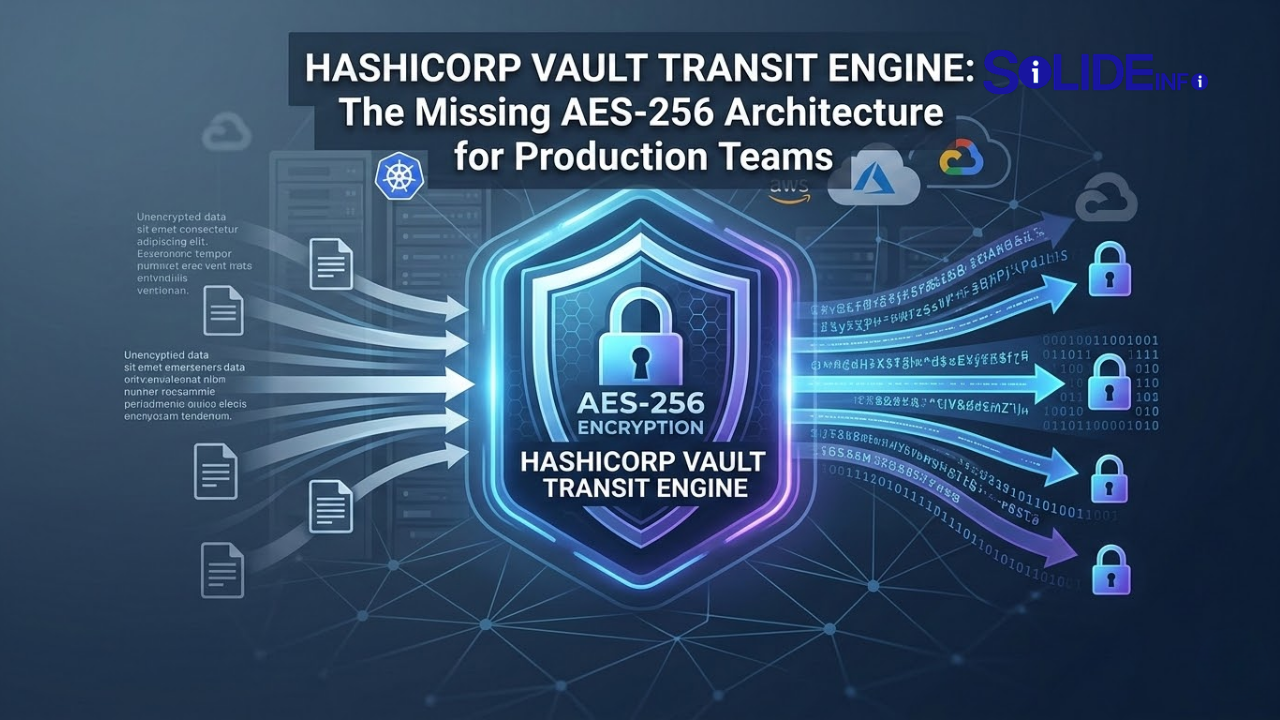
HashiCorp Vault’s Transit secrets engine solves this at the architectural level. Instead of distributing key material across every service that needs to encrypt or decrypt data, your applications call a Vault API endpoint. Vault handles the AES-256-GCM operations internally. Your app never touches the raw key. If a service is compromised, the attacker gets API credentials — not the encryption key itself. The blast radius shrinks dramatically.
This guide covers the full production setup: enabling Transit, creating AES-256-GCM keys, wiring up your applications, configuring automatic rotation, and reading the audit trail that makes your security team and compliance auditors happy.
TL;DR — 4 Key Takeaways
1. Vault Transit is an AEAD encryption API — your application sends plaintext, receives ciphertext. The AES-256-GCM key never leaves Vault. This eliminates the entire category of key extraction attacks against application processes.
2. Every Transit operation is logged in Vault’s audit backend — who encrypted what, when, with which key version. This is the audit trail that AES-256 alone cannot provide.
3. Key rotation in Transit is non-breaking. Old ciphertext versions remain decryptable during a configurable rewrap window. Zero-downtime rotation is the default behavior, not a special procedure.
4. Transit supports multiple key types (AES-256-GCM, ChaCha20-Poly1305, RSA, ECDSA) through a single API surface. Migrating between algorithms does not require application code changes — only a Vault policy update.
Why Distributing Raw AES-256 Keys Across Microservices Is an Architectural Liability
Before understanding what Vault Transit solves, you need to understand what the alternative looks like in practice — and why it fails.
In a typical microservice architecture without a secrets management layer, AES-256 key distribution looks like this:
Service A (user data encryption)  → reads KEY_A from environment variable
Service B (payment tokenization)   → reads KEY_B from Kubernetes Secret
Service C (PII field encryption)   → reads KEY_C from AWS Parameter Store (plaintext)
Service D (file encryption)        → reads KEY_D from config file checked into Git (yes, this happens)
Each service now holds raw key material in memory. Any process memory dump, any container escape, any SSRF vulnerability that reads environment variables — all of these produce a direct key compromise. The attacker does not need to break AES-256. They just need to read a string from memory.
Compliance frameworks see it the same way. PCI-DSS Requirement 3.7 mandates key management procedures including access controls and key custodian separation. HIPAA does not define specific technical controls but expects key material to be protected with administrative and technical safeguards. SOC 2 Type II auditors will ask where your encryption keys live and who has access — “in an environment variable on the container” is not an answer that passes.
Vault Transit centralizes key material in a hardened secrets management system (backed by an HSM in high-security deployments) and exposes encryption as a service through a policy-controlled API. Your microservices authenticate to Vault, get a short-lived token scoped to specific Transit key operations, and make encrypt/decrypt API calls. The key material stays inside Vault’s sealed barrier.
The Technical Architecture of Vault Transit

How Transit Keys Work Internally
When you create a Transit key of type aes256-gcm96, Vault generates a 256-bit AES key and stores it in its encrypted backend (Consul, etcd, S3, filesystem — depending on your storage configuration). The key is always stored through Vault’s encryption barrier, meaning even the storage backend never sees raw key material.
Transit maintains key versions. When you rotate a key, Vault generates a new key version but retains all previous versions. Ciphertext produced with version 2 of a key (vault:v2:...) can still be decrypted after the key rotates to version 3 — until you explicitly run vault write transit/trim/<key> to remove old versions.
The min_decryption_version parameter controls the oldest key version that can be used for decryption. Setting this after a rotation forces rewrapping of any ciphertext older than that version before it becomes permanently undecryptable.
Full Production Setup — Step by Step
Step 1 — Enable the Transit Secrets Engine
# Authenticate to Vault (assuming you have a root token for initial setup)
export VAULT_ADDR="https://vault.your-org.internal:8200"
export VAULT_TOKEN="your-root-or-admin-token"

# Enable Transit at the default path
vault secrets enable transit

# Or at a custom path for multi-tenant setups
vault secrets enable -path=transit-payments transit
vault secrets enable -path=transit-pii transit

# Verify
vault secrets list
Step 2 — Create AES-256-GCM Encryption Keys
# Create a general-purpose AES-256-GCM key
vault write -f transit/keys/user-data-key \
  type=aes256-gcm96

# Create a key with automatic rotation policy
vault write transit/keys/payment-tokens \
  type=aes256-gcm96 \
  auto_rotate_period=720h    # Rotate every 30 days automatically

# Create a key that allows export (ONLY if required — reduces security)
# For most architectures, exportable=false is correct
vault write -f transit/keys/legacy-compat \
  type=aes256-gcm96 \
  exportable=false \
  allow_plaintext_backup=false

# Inspect key metadata — note: actual key bytes are NEVER returned
vault read transit/keys/user-data-key
Expected output from vault read transit/keys/user-data-key:
Key                       Value
---                       -----
allow_plaintext_backup    false
auto_rotate_period        0s
deletion_allowed          false
derived                   false
exportable                false
imported_key              false
keys                      map[1:1703548800]     ← version 1, creation timestamp
latest_version            1
min_available_version     0
min_decryption_version    1
min_encryption_version    0
name                      user-data-key
supports_decryption       true
supports_derivation       true
supports_encryption       true
supports_signing          false
type                      aes256-gcm96
Step 3 — Create Least-Privilege Policies
Each application should have a policy scoped to only the operations it needs. A service that only encrypts data should never have decrypt capability — and vice versa for read-only analytics pipelines.
# vault-policies/service-user-api-encrypt.hcl
# Policy for the User API service — encrypt only

path "transit/encrypt/user-data-key" {
  capabilities = ["update"]
}

# Allow the service to check key metadata but not read key material
path "transit/keys/user-data-key" {
  capabilities = ["read"]
}
# vault-policies/service-user-db-decrypt.hcl
# Policy for the database reader service — decrypt only

path "transit/decrypt/user-data-key" {
  capabilities = ["update"]
}

path "transit/rewrap/user-data-key" {
  capabilities = ["update"]
}
# Apply policies
vault policy write service-user-api-encrypt vault-policies/service-user-api-encrypt.hcl
vault policy write service-user-db-decrypt vault-policies/service-user-db-decrypt.hcl
Step 4 — Configure AppRole Authentication for Services
# Enable AppRole auth method
vault auth enable approle

# Create an AppRole for the User API service
vault write auth/approle/role/user-api-service \
  policies="service-user-api-encrypt" \
  token_ttl=1h \
  token_max_ttl=4h \
  secret_id_ttl=24h \
  secret_id_num_uses=0    # Unlimited secret_id uses — use 1 for single-use

# Retrieve the Role ID (not secret — safe to embed in config)
vault read auth/approle/role/user-api-service/role-id

# Generate a Secret ID (treat like a password — store securely)
vault write -f auth/approle/role/user-api-service/secret-id
Step 5 — Encrypt and Decrypt Through the API
CLI:
# Encrypt — plaintext must be base64-encoded
PLAINTEXT=$(echo -n "user SSN: 123-45-6789" | base64)
vault write transit/encrypt/user-data-key plaintext="$PLAINTEXT"

# Output:
# Key            Value
# ---            -----
# ciphertext     vault:v1:AbCdEf...  ← store this in your database
# key_version    1

# Decrypt
vault write transit/decrypt/user-data-key \
  ciphertext="vault:v1:AbCdEf..."

# Output:
# Key          Value
# ---          -----
# plaintext    dXNlciBTU046IDEyMy00NS02Nzg5  ← base64, decode to get original
Python — Production Application Integration:
import hvac
import base64
import os
from functools import lru_cache

class VaultTransitClient:
    """
    Production-grade HashiCorp Vault Transit client for AES-256-GCM encryption.

    Features:
    - AppRole authentication with token renewal
    - Automatic base64 encoding/decoding
    - Batch encrypt/decrypt for performance
    - Audit context via request_id metadata

    Dependencies: pip install hvac
    """

    def __init__(self, vault_addr: str, role_id: str, secret_id: str, key_name: str):
        self._vault_addr = vault_addr
        self._role_id = role_id
        self._secret_id = secret_id
        self._key_name = key_name
        self._client = None
        self._authenticate()

    def _authenticate(self):
        """Authenticate using AppRole and initialize Vault client."""
        self._client = hvac.Client(url=self._vault_addr)
        result = self._client.auth.approle.login(
            role_id=self._role_id,
            secret_id=self._secret_id
        )
        self._client.token = result["auth"]["client_token"]
        self._token_renewable = result["auth"]["renewable"]
        print(f"Vault authenticated — token TTL: {result['auth']['lease_duration']}s")

    def _renew_if_needed(self):
        """Renew token if close to expiry (implement in production with background thread)."""
        if not self._client.is_authenticated():
            self._authenticate()

    def encrypt(self, plaintext: str | bytes, context: bytes = None) -> str:
        """
        Encrypt data using Vault Transit AES-256-GCM.

        Args:
            plaintext: Data to encrypt (str or bytes)
            context: Optional derivation context for key derivation (advanced use)

        Returns:
            Vault ciphertext string (vault:vN:...) — safe to store in database
        """
        self._renew_if_needed()

        if isinstance(plaintext, str):
            plaintext = plaintext.encode("utf-8")

        encoded = base64.b64encode(plaintext).decode()

        payload = {"plaintext": encoded}
        if context:
            payload["context"] = base64.b64encode(context).decode()

        result = self._client.secrets.transit.encrypt_data(
            name=self._key_name,
            plaintext=encoded,
            context=base64.b64encode(context).decode() if context else None
        )
        return result["data"]["ciphertext"]

    def decrypt(self, ciphertext: str, context: bytes = None) -> bytes:
        """
        Decrypt Vault Transit ciphertext.

        Returns:
            Plaintext bytes — raises hvac.exceptions.InvalidRequest on auth/key failure
        """
        self._renew_if_needed()

        result = self._client.secrets.transit.decrypt_data(
            name=self._key_name,
            ciphertext=ciphertext,
            context=base64.b64encode(context).decode() if context else None
        )
        return base64.b64decode(result["data"]["plaintext"])

    def batch_encrypt(self, plaintexts: list[str]) -> list[str]:
        """
        Encrypt multiple values in a single API call — 10-50x faster than individual calls.
        Critical for bulk database field encryption operations.
        """
        self._renew_if_needed()

        batch = [
            {"plaintext": base64.b64encode(p.encode()).decode()}
            for p in plaintexts
        ]

        result = self._client.secrets.transit.encrypt_data(
            name=self._key_name,
            batch_input=batch
        )
        return [item["ciphertext"] for item in result["data"]["batch_results"]]

    def rewrap(self, ciphertext: str) -> str:
        """
        Re-encrypt ciphertext with the latest key version.
        Use during key rotation to migrate old ciphertext versions.
        """
        self._renew_if_needed()

        result = self._client.secrets.transit.rewrap_data(
            name=self._key_name,
            ciphertext=ciphertext
        )
        return result["data"]["ciphertext"]


# Production usage example
def encrypt_pii_fields(user_record: dict) -> dict:
    """Encrypt sensitive PII fields before database insert."""
    vault = VaultTransitClient(
        vault_addr=os.environ["VAULT_ADDR"],
        role_id=os.environ["VAULT_ROLE_ID"],
        secret_id=os.environ["VAULT_SECRET_ID"],
        key_name="user-data-key"
    )

    sensitive_fields = ["ssn", "dob", "credit_card", "phone"]
    encrypted_record = user_record.copy()

    for field in sensitive_fields:
        if field in user_record and user_record[field]:
            encrypted_record[field] = vault.encrypt(str(user_record[field]))

    return encrypted_record
Key Rotation — Zero-Downtime with Vault Transit
Key rotation is where Vault Transit provides its most significant operational advantage over self-managed AES-256 key distribution.
Manual Rotation
# Rotate the key — generates version N+1, retains all previous versions
vault write -f transit/keys/user-data-key/rotate

# After rotation, new encryptions use the latest version automatically
# Old ciphertext (vault:v1:...) is still decryptable

# Set minimum decryption version to enforce rewrap of old ciphertexts
vault write transit/keys/user-data-key/config \
  min_decryption_version=2  # Version 1 ciphertexts no longer decryptable after this

# Before setting min_decryption_version, rewrap all old ciphertexts:
vault write transit/rewrap/user-data-key \
  ciphertext="vault:v1:..."
# Returns: vault:v2:... (same plaintext, new key version)
Automated Rotation Policy
# Set 30-day automatic rotation
vault write transit/keys/payment-tokens/config \
  auto_rotate_period=720h

# Verify rotation schedule
vault read transit/keys/payment-tokens | grep auto_rotate
Rotation Monitoring — KQL Alert for Missed Rotations
If Vault sends audit logs to a SIEM (file audit → Filebeat → Elasticsearch/Sentinel), this query detects keys that haven’t been rotated within a defined window:
// Detect Vault Transit keys not rotated within 90 days
// Assumes Vault audit logs are ingested into Log Analytics
VaultAuditLogs
| where OperationType == "rotate"
| where Path has "transit/keys"
| summarize LastRotation = max(TimeGenerated) by KeyName = tostring(RequestPath)
| extend DaysSinceRotation = datetime_diff('day', now(), LastRotation)
| where DaysSinceRotation > 90
| project KeyName, LastRotation, DaysSinceRotation
| order by DaysSinceRotation desc

Audit Logging — The Compliance Advantage
Every operation through Vault Transit is captured in the audit log. This is not optional and not approximated — Vault will refuse to complete an operation if the audit backend is unavailable (configurable with log_raw and fallback options).
Enabling File Audit Backend
# Enable file audit — production should use syslog or socket for SIEM integration
vault audit enable file file_path=/var/log/vault/audit.log

# Enable syslog for direct SIEM ingestion
vault audit enable syslog tag="vault" facility="AUTH"

# Verify audit backends
vault audit list
Reading Vault Audit Log Entries
Each audit entry is a JSON object. Sensitive values (tokens, plaintext) are HMAC-hashed in the log — you get proof an operation occurred without raw secret exposure.
{
  "time": "2025-03-08T14:23:17.432Z",
  "type": "request",
  "auth": {
    "client_token": "hmac-sha256:...",
    "accessor": "hmac-sha256:...",
    "policies": ["service-user-api-encrypt"],
    "entity_id": "...",
    "display_name": "approle-user-api-service"
  },
  "request": {
    "id": "3d4e5f6a-...",
    "operation": "update",
    "mount_type": "transit",
    "path": "transit/encrypt/user-data-key",
    "data": {
      "plaintext": "hmac-sha256:..."
    },
    "remote_address": "10.0.1.45",
    "namespace": {"id": "root"}
  }
}
What this gives compliance auditors:
- Who encrypted (AppRole display name, entity ID)
- From where (source IP — your pod’s IP in Kubernetes)
- Which key and which operation
- Timestamp with millisecond precision
- The auth policies that authorized the operation
No other AES-256 implementation provides this out of the box.
Sigma Rule — Detect Unauthorized Vault Transit Decrypt Attempts
title: Unauthorized Vault Transit Decrypt Operation
status: production
description: >
  Detects decrypt operations on Vault Transit keys by entities
  not in the authorized decrypt policy. May indicate token theft,
  lateral movement, or misconfigured policy.
logsource:
  category: application
  product: vault_audit
detection:
  selection:
    type: "request"
    request.operation: "update"
    request.path|contains: "transit/decrypt"
  filter_authorized:
    auth.policies|contains:
      - "service-user-db-decrypt"
      - "service-analytics-decrypt"
      - "vault-admin"
  condition: selection and not filter_authorized
falsepositives:
  - New services being onboarded (verify policy assignment)
  - Break-glass admin operations (should be documented)
level: high
tags:
  - attack.credential_access
  - attack.t1552.001
Kubernetes Integration — Vault Agent Injector
In Kubernetes environments, Vault Agent Injector handles authentication and token renewal transparently, removing the need for application code to manage Vault tokens at all.
# kubernetes/deployment-user-api.yaml
apiVersion: apps/v1
kind: Deployment
metadata:
  name: user-api
  namespace: production
spec:
  template:
    metadata:
      annotations:
        # Vault Agent Injector annotations
        vault.hashicorp.com/agent-inject: "true"
        vault.hashicorp.com/role: "user-api-service"
        vault.hashicorp.com/agent-inject-secret-config: "secret/user-api/config"
        # Transit operations are API calls — no secret injection needed
        # The agent handles authentication; app uses VAULT_TOKEN env var
        vault.hashicorp.com/agent-pre-populate-only: "false"
    spec:
      serviceAccountName: user-api-sa  # Bound to Vault Kubernetes auth role
      containers:
        - name: user-api
          image: your-org/user-api:latest
          env:
            - name: VAULT_ADDR
              value: "https://vault.vault.svc.cluster.local:8200"
            # VAULT_TOKEN is injected by Vault Agent automatically
# Configure Vault Kubernetes auth for the service account
vault write auth/kubernetes/role/user-api-service \
  bound_service_account_names=user-api-sa \
  bound_service_account_namespaces=production \
  policies=service-user-api-encrypt \
  ttl=1h

Performance Considerations for High-Throughput Systems
A common concern with Transit is latency — every encrypt/decrypt call is a network round trip to Vault. At 10,000 records per second, this is a real constraint.
Mitigations:
Batch operations: Use batch_input in the Transit API to encrypt or decrypt up to 1,000 values per API call. This reduces the per-record network overhead by 99% for bulk operations.
Vault Agent caching: Vault Agent can cache Transit responses for read-only operations and tokens, reducing Vault server load.
Local envelope encryption: For extremely high-throughput scenarios, use Transit to encrypt a data encryption key (DEK), then use that DEK locally for bulk encryption. This is envelope encryption — the same pattern AWS KMS uses. The DEK lives in memory only for the duration of the operation and is never stored in plaintext.
def envelope_encrypt_bulk(records: list, vault_client) -> list:
    """
    Envelope encryption pattern for high-throughput:
    1. Generate local AES-256 DEK
    2. Encrypt DEK via Vault Transit (one API call)
    3. Encrypt all records locally with DEK (fast, no network)
    4. Store: encrypted_DEK + encrypted_records
    5. Discard plaintext DEK from memory
    """
    from cryptography.hazmat.primitives.ciphers.aead import AESGCM
    import os

    # Step 1: Generate local DEK
    dek = os.urandom(32)  # 256-bit AES key

    # Step 2: Encrypt DEK via Vault Transit (single API call)
    encrypted_dek = vault_client.encrypt(dek.hex())

    # Step 3: Encrypt all records locally with DEK
    aesgcm = AESGCM(dek)
    encrypted_records = []
    for record in records:
        nonce = os.urandom(12)
        ct = aesgcm.encrypt(nonce, record.encode(), None)
        encrypted_records.append(nonce.hex() + ct.hex())

    # Step 4: Store encrypted DEK alongside encrypted records
    # Step 5: DEK goes out of scope — garbage collected
    dek = b'\x00' * 32  # Explicit zeroing before GC (best effort in Python)

    return {"encrypted_dek": encrypted_dek, "records": encrypted_records}
FAQs
Is HashiCorp Vault Transit FIPS 140-2 compliant?
Vault Enterprise with the FIPS 140-2 build uses BoringCrypto (Google’s FIPS-validated cryptographic module) for all cryptographic operations including Transit AES-256-GCM. The open-source version uses Go’s standard crypto library, which is not FIPS-validated. For US federal, DoD, or financial compliance requirements, use Vault Enterprise with the FIPS build, or pair open-source Vault with an HSM auto-unseal using a FIPS-validated device.
What happens to my encrypted data if Vault goes down?
Decryption requires Vault to be available. This is the fundamental trade-off of encryption-as-a-service. Mitigate with: Vault HA cluster (3 or 5 nodes), multi-region replication (Vault Enterprise), and a documented break-glass procedure for emergency access. Never design a system where Vault downtime causes complete data inaccessibility without a tested recovery procedure.
Can I migrate from self-managed AES-256 keys to Vault Transit without downtime?
Yes — use the versioned migration pattern. Import your existing key into Vault Transit (if the key type is supported and importable) or implement a dual-read pattern: attempt Transit decryption first, fall back to local key decryption if the ciphertext predates the migration. Rewrap old ciphertexts lazily on read, or schedule a bulk rewrap job during a maintenance window.
HashiCorp changed its license in 2023 — what are the alternatives?
HashiCorp moved Vault to the Business Source License (BSL 1.1) in August 2023. OpenBao (CNCF sandbox project) is a community fork maintained under MPL 2.0 — it is API-compatible with Vault, making migration straightforward. OpenTofu is the equivalent for Terraform. For cloud-native alternatives: AWS KMS + AWS Secrets Manager provides similar functionality on AWS, and Azure Key Vault covers the Microsoft ecosystem.
Stop Distributing Keys, Start Distributing API Access
Every hour your microservices are holding raw AES-256 keys in environment variables is an hour of unnecessary key exposure. HashiCorp Vault’s Transit engine does not just move your key to a safer location — it eliminates the concept of “your application has the key” entirely. The key lives inside Vault. Your application has an API credential. Those are fundamentally different threat surfaces.
The audit trail alone justifies the operational overhead for any organization under compliance scrutiny. When a PCI-DSS auditor asks “who decrypted cardholder data and when,” your Vault audit log is the complete, tamper-evident answer — something no self-managed AES-256 implementation provides without significant custom instrumentation.
If you are building a new system today or scoping a re-architecture sprint, Transit is the right answer. If you are maintaining legacy self-managed AES-256 key distribution, start the migration planning now — the envelope encryption pattern makes the transition incremental and low-risk.
For a deeper understanding of how AES-256-GCM works under the hood — including the cryptographic guarantees Transit relies on — read the full technical guide at AES-256 Encryption Decoded — What Every Security Engineer Must Know Before Trusting Their Stack.
Discover more from Solide Info | The Engineer’s Authority on Cyber Defense
Subscribe to get the latest posts sent to your email.